

“This post contains affiliate links. If you buy through these links, we may earn a small commission at no extra cost to you.”
Mantra MFS 110 L1 RD Service: Recharge Online and Validity Check (2026)
This tutorial walk you through the steps to recharge or renew your Mantra MFS 110 L1 Biometric device RD Service and check the validity of the subscription online on the Mantra Official Servico portal.
An active RD service is a mandatory UIDAI requirement for the Biometric scanner to authenticate successfully on platforms like Jeevan Pramaan, e-KYC etc.
When you connect your Mantra MFS110 L1 device to the computer, if you see an “Error 1001” notification, it indicates that the RD Service subscription has expired.
Usually when you buy Mantra MFS 110 L1 fingerprint scanner in India, it comes with a one year subscription of Mantra RD Service. However, it is always better to read the product information in detail to confirm it.
After this initial one year period, you will have to recharge the Mantra RD Service subscription and maintain validity to use the biometric device for submitting Digital Life Certificate (DLC) using Jeevan Pramaan.
First we will see how to check the validity of Mantra RD Service.
How to Check Your Mantra MFS 110 L1 RD Service Validity Online
Locate the Serial Number.
You should know the serial number of your Mantra biometric device to check the validity or subscription status of the RD Service online.
Look at the manufacturer sticker on the bottom of the Mantra MFS110 L1 Fingerprint scanner. There you will find the unique serial number of your device as shown below.
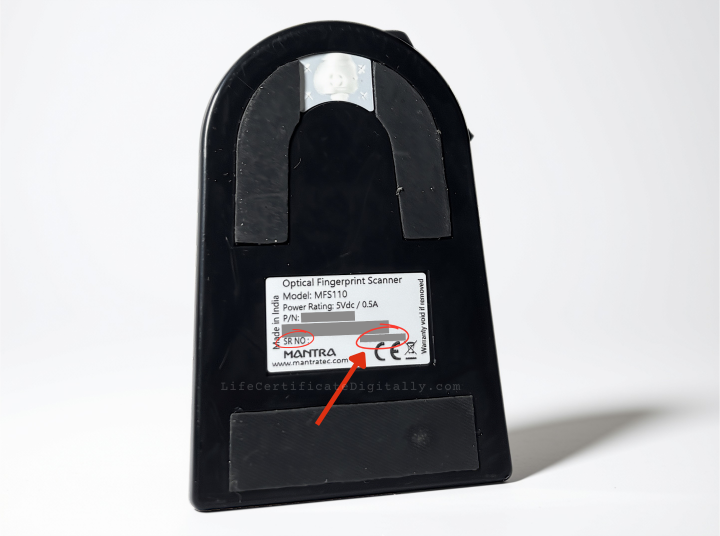
Note down your Mantra biometric device’s serial number in a piece of paper
Please note that the biometric device does not need to be plugged into the computer to perform this online verification.
Now you are ready to check the Mantra RD Service Expiry date online.
Mantra Official Servico Website To Check RD Service Validity
Open Google website in your browser. Type “mantra mfs100 rd service validity check” in your search box.
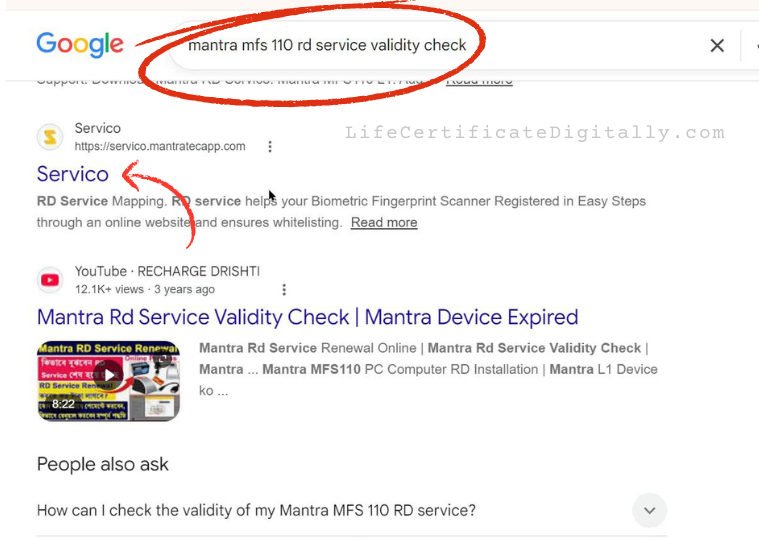
In the search results click on the “servico.mantratecapp.com” link.
The Official Mantra Customer Support Servico portal opens as follows.
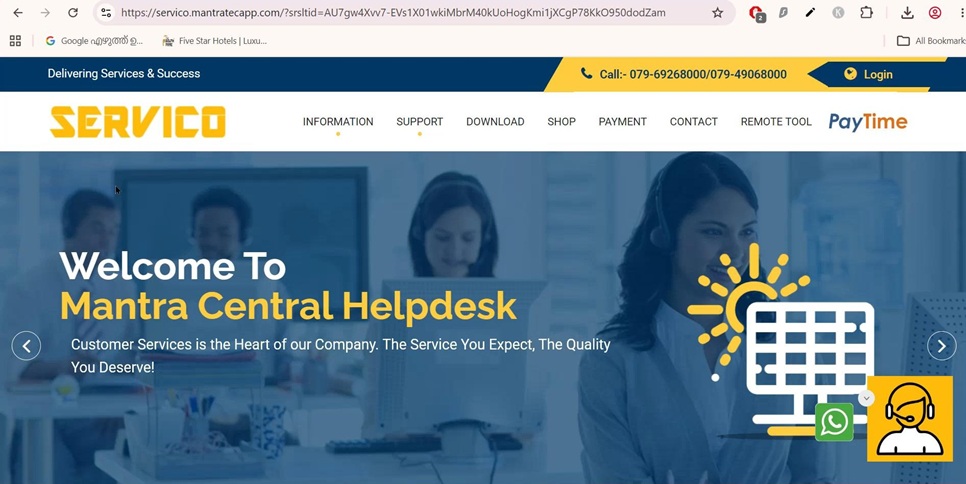
From the top navigation bar, select the menu item Download >> Customer Portal >> Device Warranty & RD Subscription Check as follows.
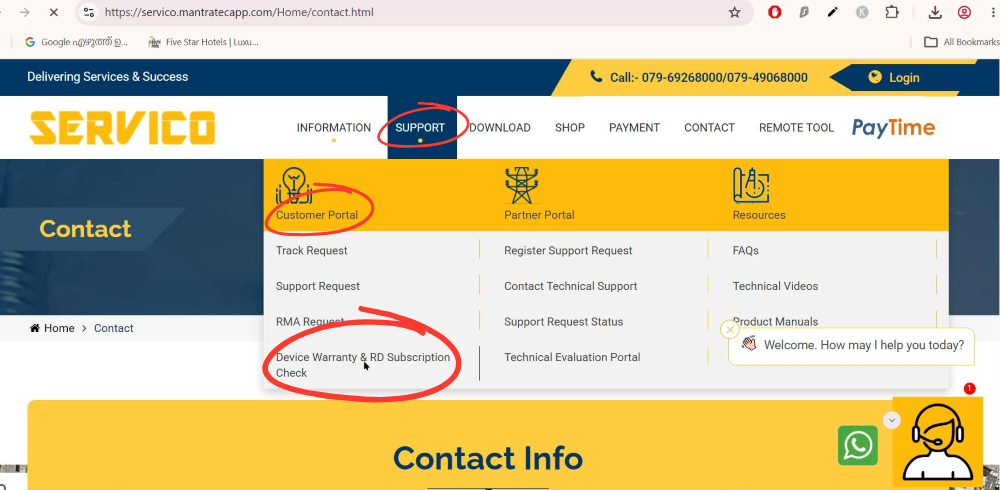
Mantra MFS 110 L1 RD Service Validity and Device Warranty Expiry Lookup
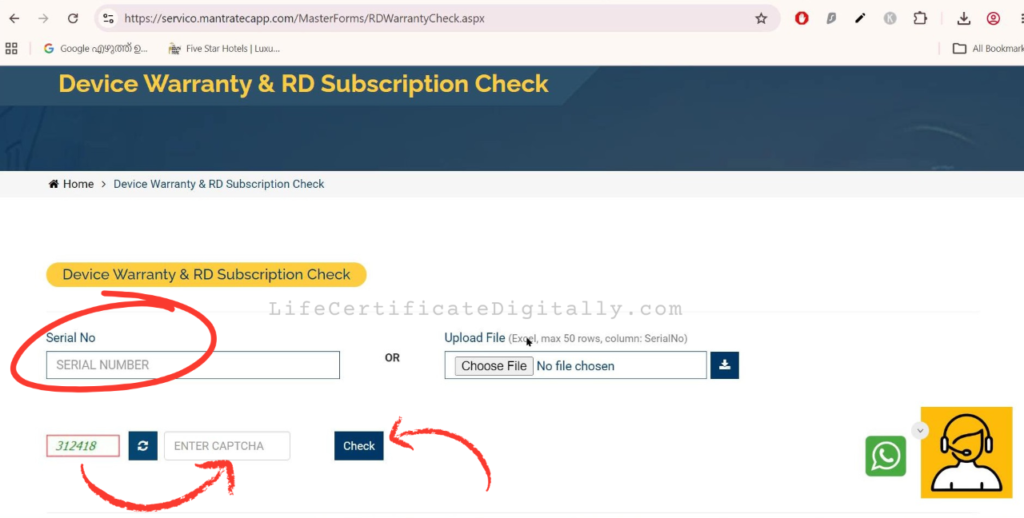
The following page opens. Enter the Device Serial Number which you have already noted in the beginning step.
Then enter CAPTCHA. Click Check Button as shown below.
The following page opens. It will display the device hardware Warranty Expiry Date and RD Service Expiry date as shown.
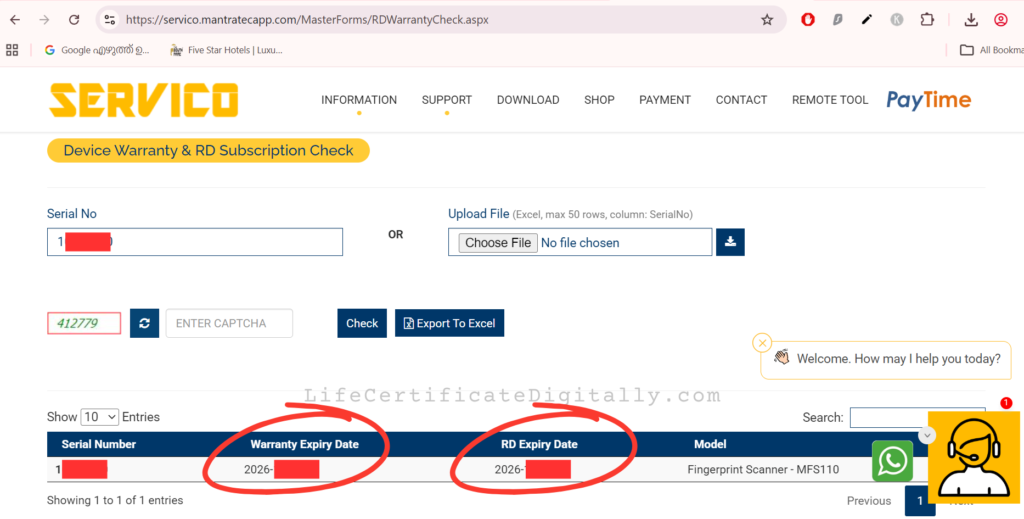
If it expired already or is going to expire soon, you can renew the license online at Servico payment portal.
RD Service Subscription status showing as expired? You must renew your RD service subscription to capture fingerprints. Step-by-step instructions given below.
How to Renew/ Recharge Mantra MFS 110 L1 Device RD Service
Access the Mantra Payment Portal
If you are already familiar with the Official Mantra Servico portal explained in the previous step for checking RD Service validity, you can click on the Payment link in the top navigation bar as shown.
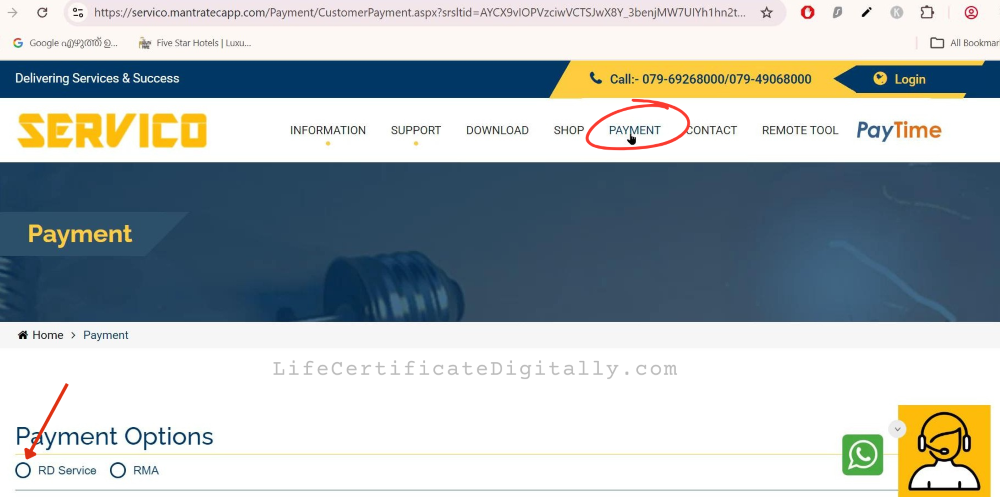
Otherwise, you can google “mantra rd service renewal” and get the payment page directly.
Mantra L1 Device Details and Customer Details for RD Service Recharge
From the payment Options in the bottom of the page, select “RD Service” as shown in the above picture.
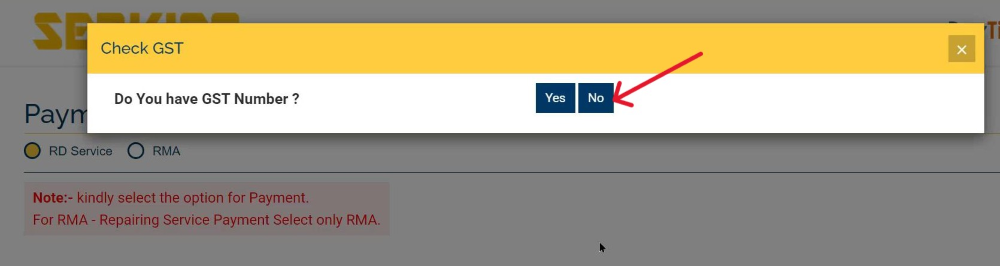
Select Yes or No as applicable for your GST status.
Fill in your contact details like company name, name, mobile no, email etc. as shown below.
For the Application name you can write something like “RD Service for Jeevan Pramaan”. You can select L1 Device in the check box.
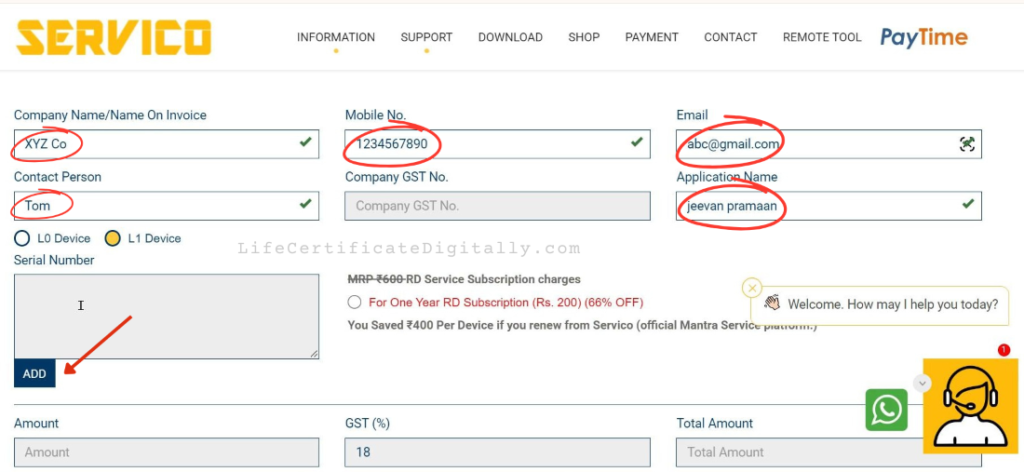
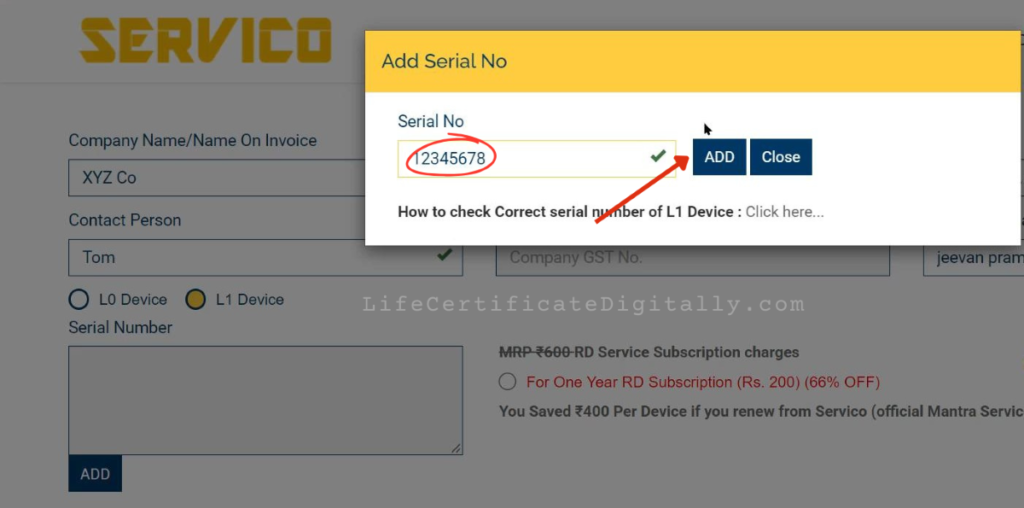
Click the Add button to add the device serial number found earlier under the Mantra MFS 110 L1 biometric device.
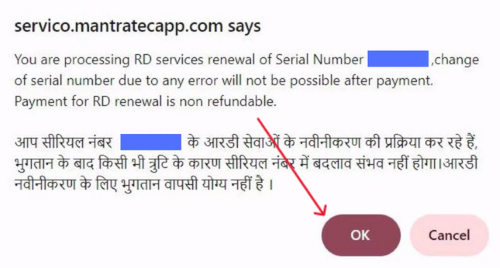
Click Ok at the following screen to confirm that your device serial number is correct.
Now you see a “Device Added Successfully” pop-up message.
If you have more devices to recharge,you can click the Add button and add those devices also. Otherwise, ckick the Close button.
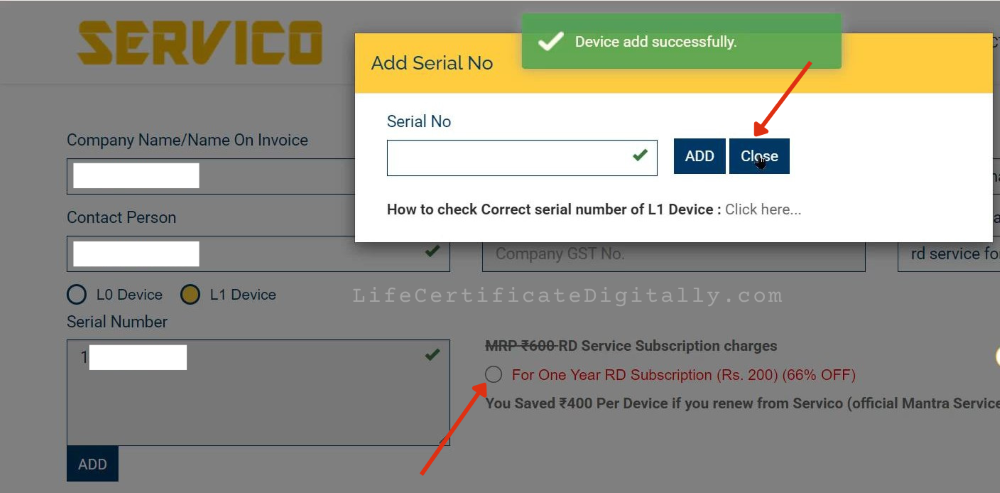
Now you will see that the Serial Number field is populated with the device serial number you added. Select the check box saying “One Year RD Service Subscription” as shown in the above screenshot.
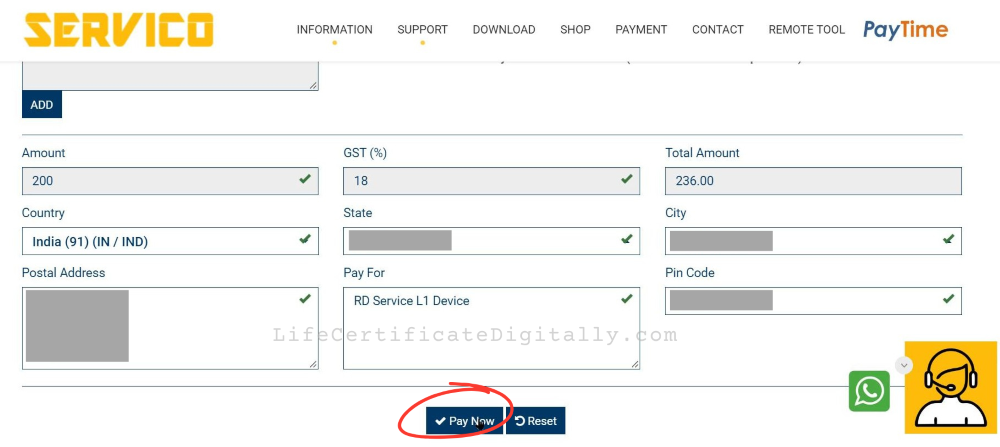
In the bottom part of the page you can see the One Year Fee and GST populated automatically. Currently (in 2026) it is Rs-236/- including GST.
Fill in your Postal Address, State, City, PIN Code etc. Click Pay Now button.
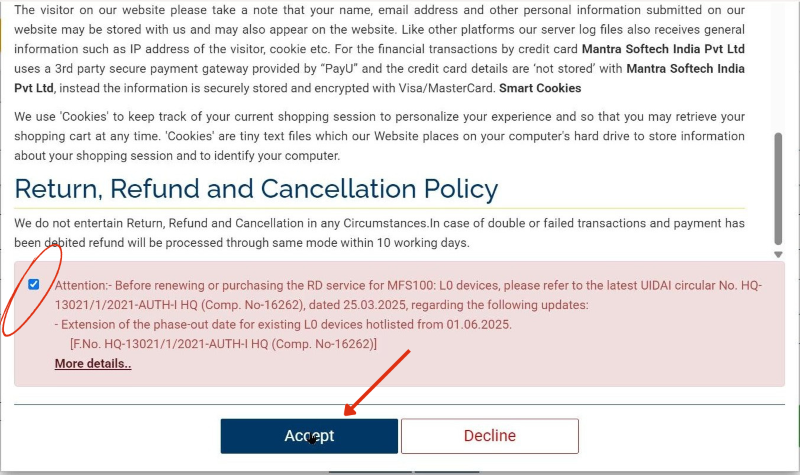
Accept the Return. refund, cancellation policy as shown.
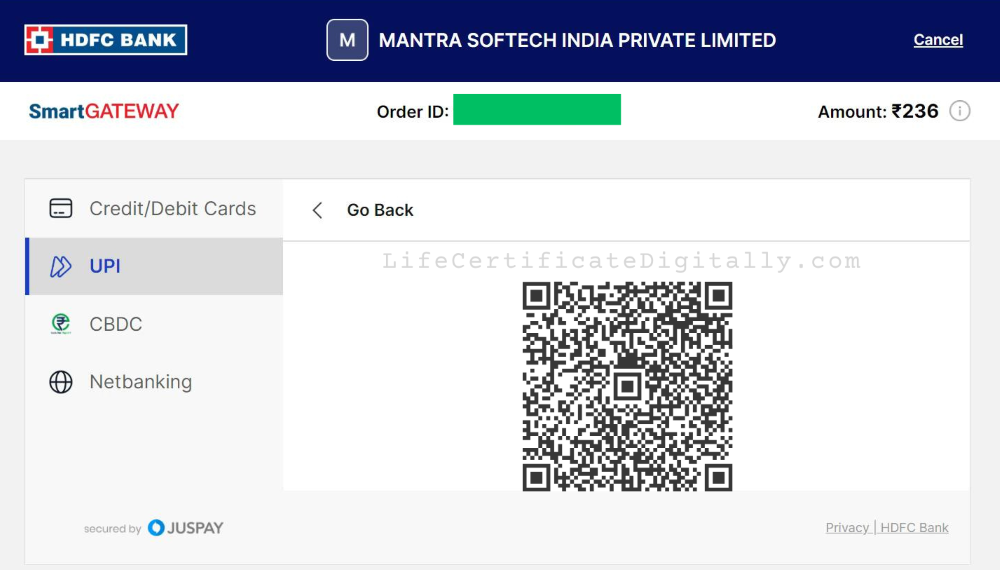
Now you will be taken to the payment page. You have the options to pay by Credit/ Debit card, Net Banking or UPI.
Select Payment Method for Mantra RD Service Recharge
We are showing the UPI option. You can decide whichever is suitable for you.
Press the button to Generate QR Code.
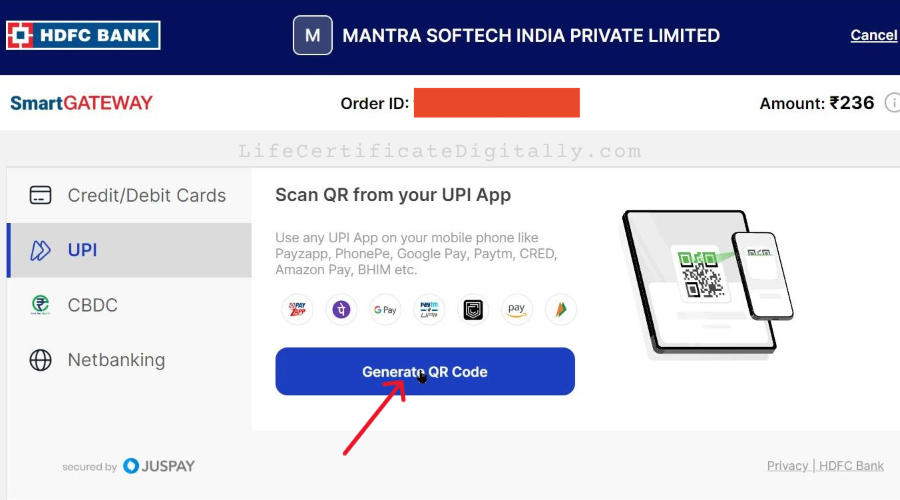
Make Payment for Mantra RD Service Renewal
Scan the QR code in your UPI app.
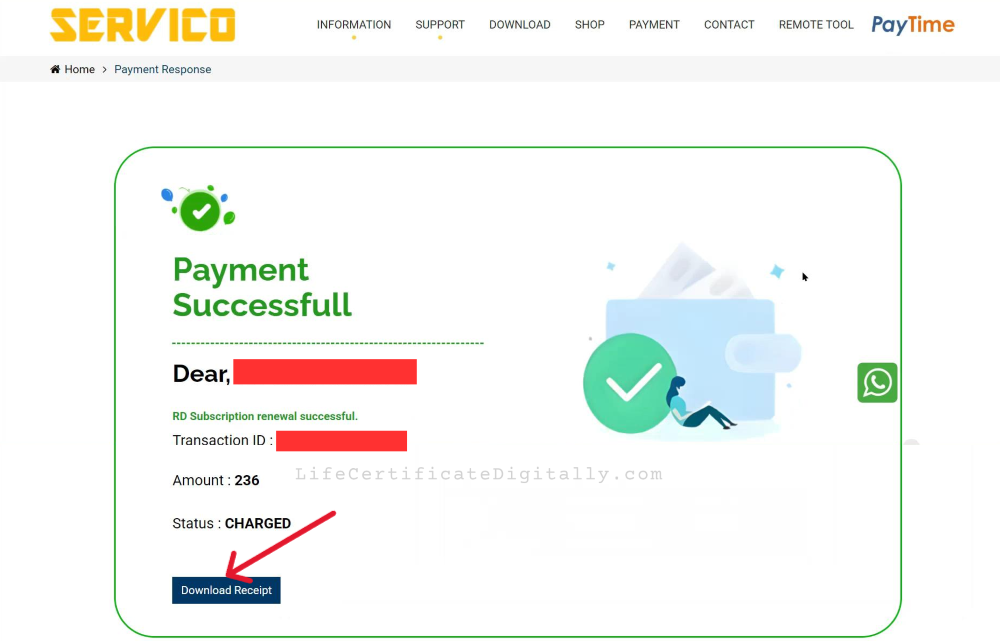
If your payment is successful, you will see a success message and a button to download receipt.
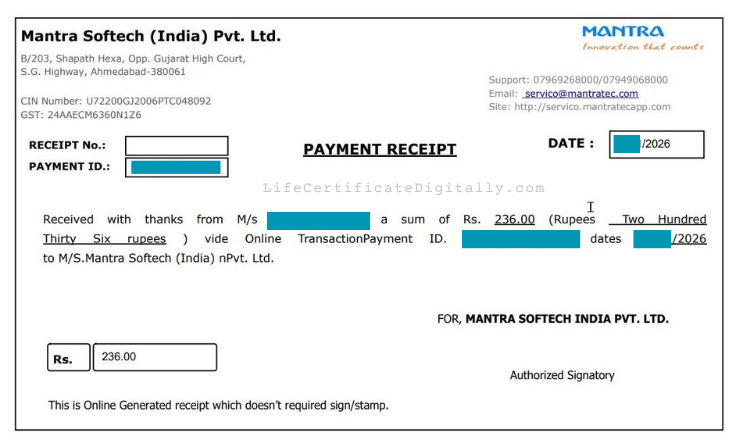
Click the button to download the receipt.
Now you have completed all the steps to recharge or renew your Mantra RD Service subscription online.
Verification of Successful RD Service Recharge (Optional)
If want you can go back to the page in Servico portal to check the RD Service Validity again and verify as done in the beginning. This is not at all compulsary.
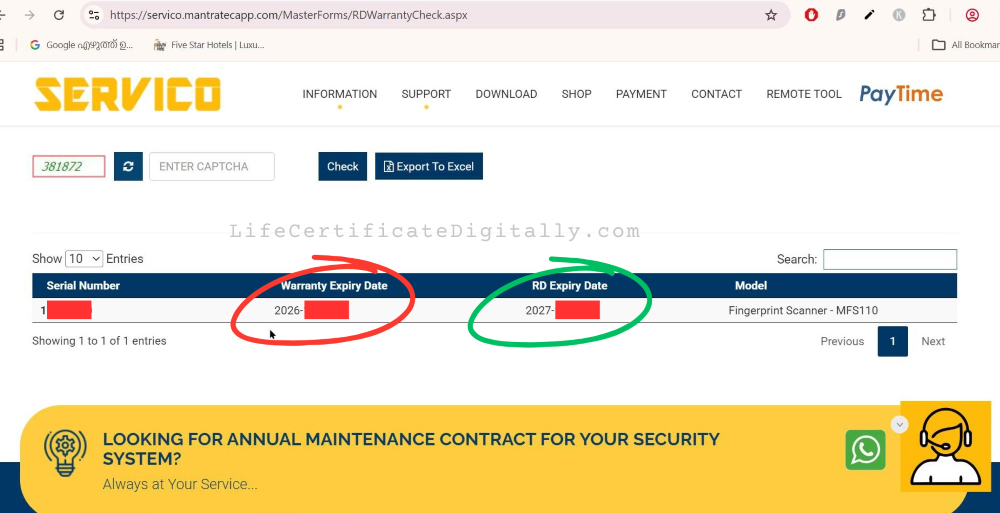
As seen above, you can see that the RD Expiry Date is updated already with the new date after one year.
If your RD service subscription was already expired and you were seeing an Error 1001 when connecting the Mantra MFS 110 L1 Device to the computer, do the following.
Unplug it from the computer, Wait 5 seconds, and connect it back.
Now you will see a “Mantra L1 AVDM- Framework is Ready to Use” notification as shown below.
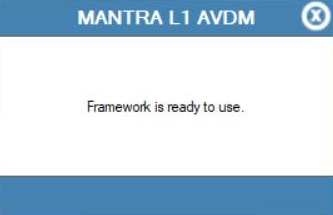
This confirms that your Mantra L1 Device was successfully authenticated with the renewed licence.